

The lesson carries on after the bell.
Videos, documents and exercise sets filed by chapter. The teacher publishes once, and the student picks the course back up on a computer or on their phone, right where they left it.
- Lesson files stay downloadable through revision week
- Hand work in as a photo, a file or a typed answer
- Marks flow straight into the term average
 App Store
 Google Play
 AppGallery
Part of the platform — no module to buy.
- Chapter by chapterVideos, documents and exercise sets in one outline
- Desktop and phoneThe same course on both, with nothing to reinstall
- Nothing to pass aroundNo link to send, no file to forward
The course, as students find it.
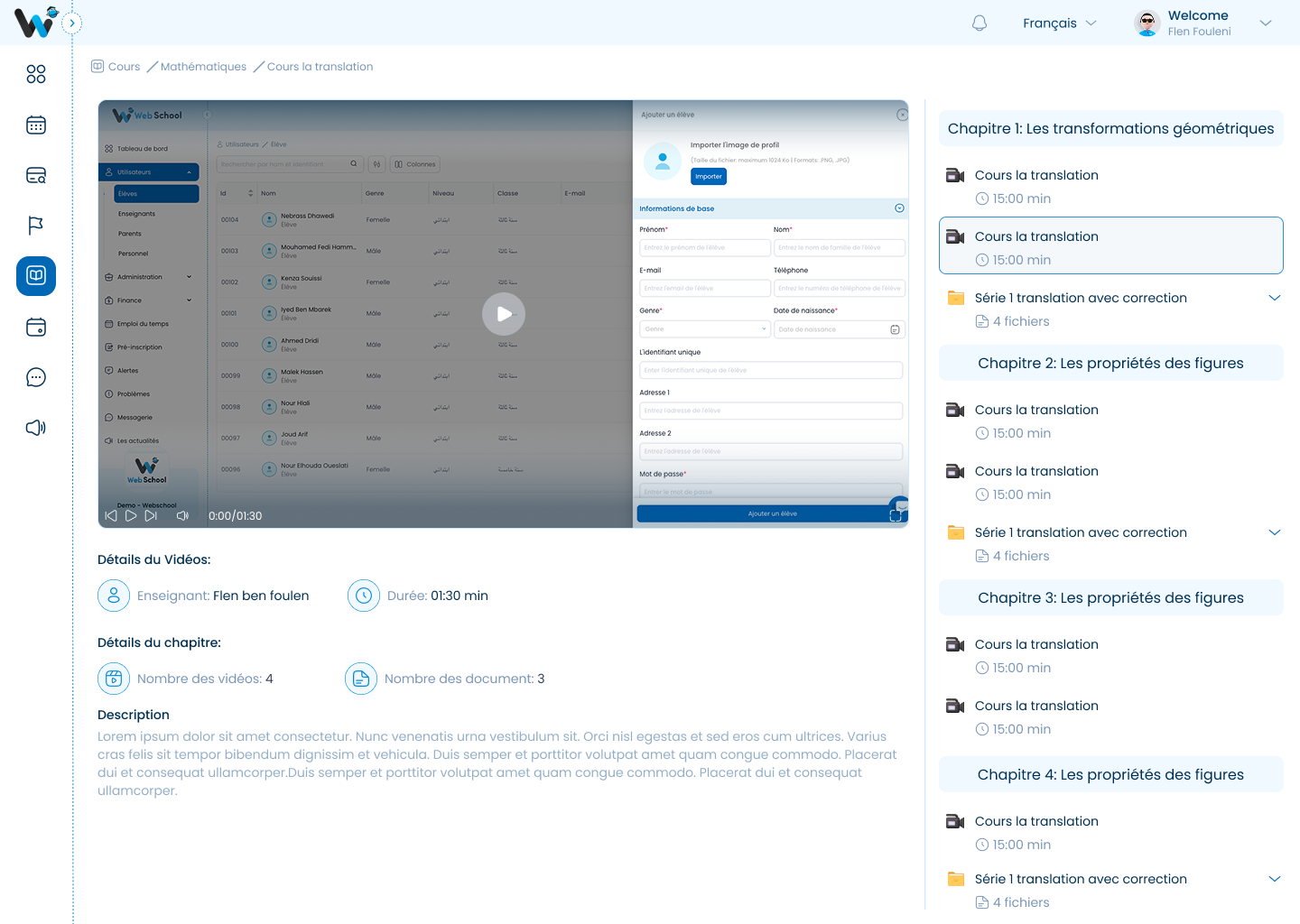
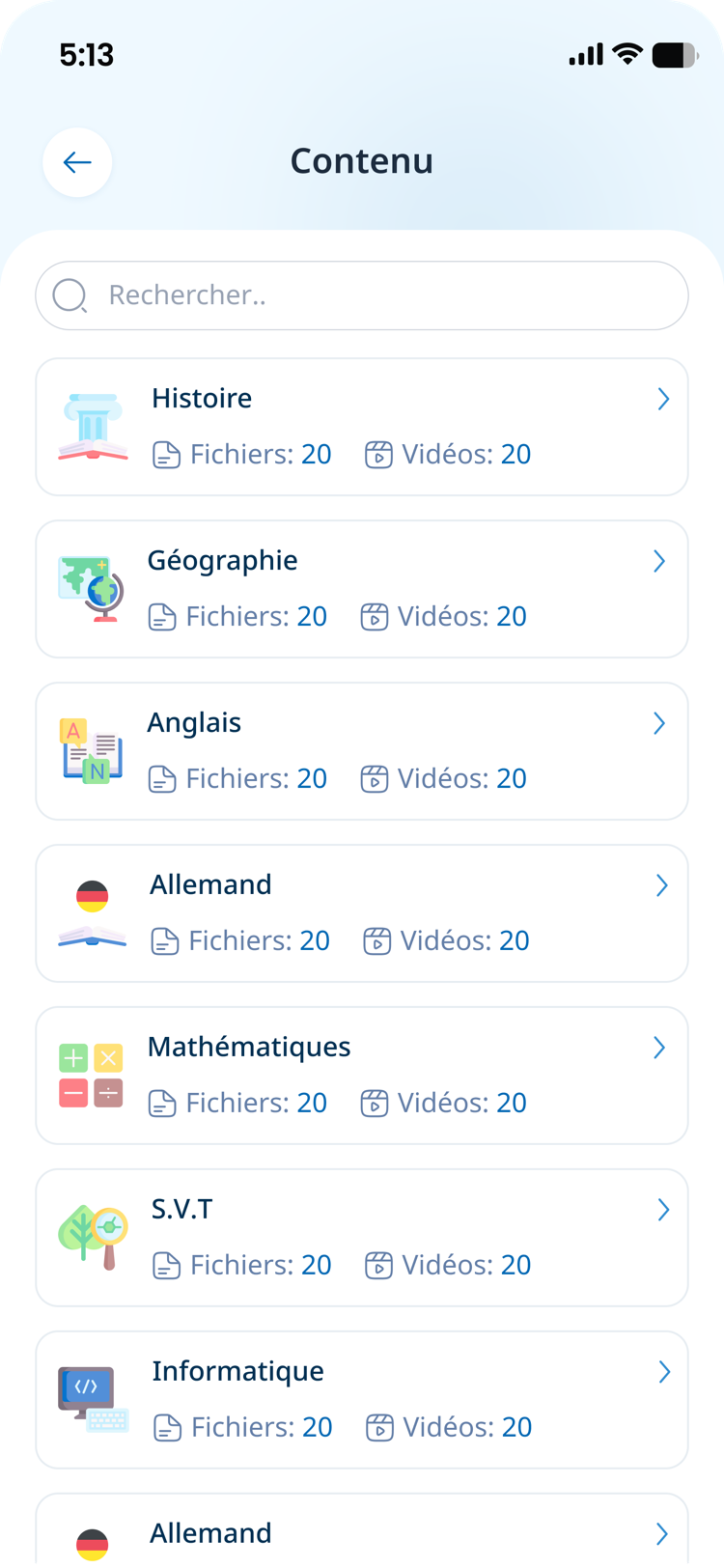
Four screens of the online course, on the web and in the app.
The video on one side, the outline on the other
The student opens the chapter and plays the video in the page. Alongside it sits the whole course: the other videos, how long each runs, and the exercise sets with their files.
- The outline stays in view while the video plays
- Teacher, running time and document count sit under the video
- The next chapter is one click away, same page
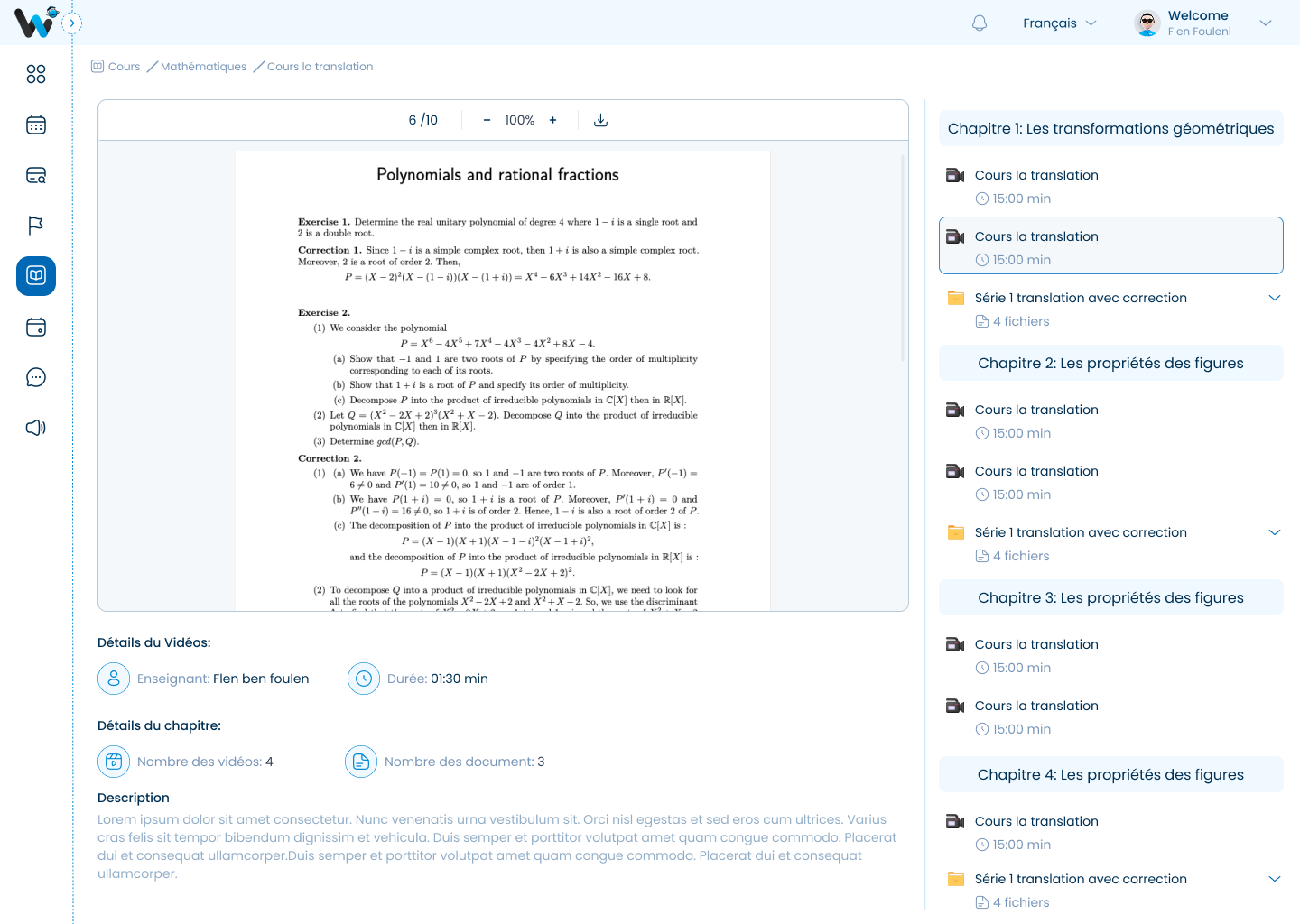
Documents open inside the course
Exercise sets and their corrections open in the page, page by page, with zoom and download. Nothing has to be opened in another app.
- Page-by-page reading, with zoom
- Download for revision offline
- Corrections are filed with the set they answer
Every subject, in a pocket
In the app, the student finds each subject with the number of files and videos it holds, and a search box that goes straight to the chapter.
- One card per subject, with its files and videos
- Search straight to it, instead of walking the chapters
- The same content as on the web
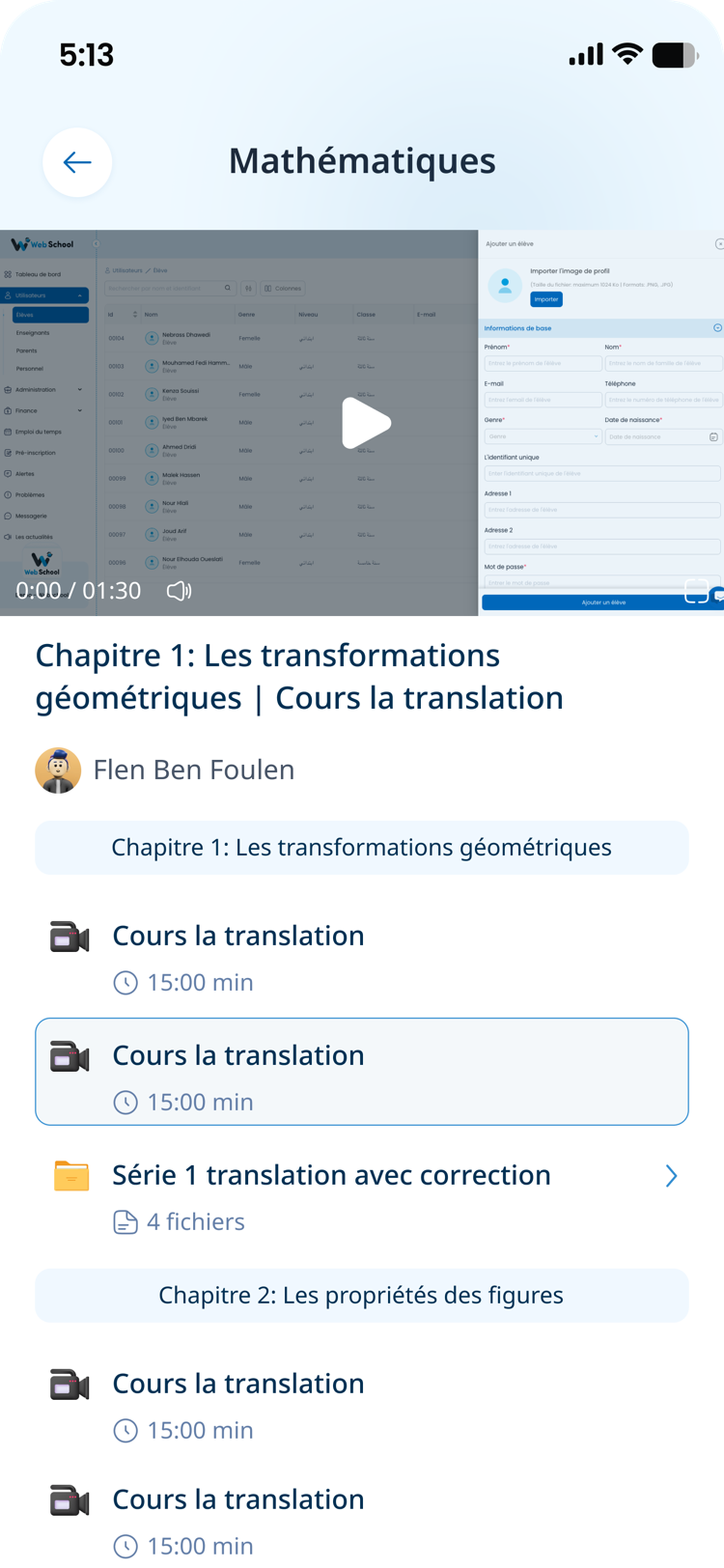
The chapter follows them on the phone
The video plays at the top, and the chapter outline sits right underneath: the other sessions, their length, and the exercise sets with their files.
- Playback resumes where it stopped
- Exercise sets download from inside the chapter
- The teacher’s name stays attached to every lesson
Live classes start from the timetable itself.
There is no link to circulate and no separate account to create. The session opens from the lesson, attendance records itself, and the recording stays attached to the course.
- No link to send — the session sits on the timetable
- Attendance recorded automatically from the session
- Parent meetings run the same way, one slot each
Want to see a course end to end?
We call you, we open a demo account for your school, and we build a chapter with you — videos and documents included.