

Their day, their homework and their marks, on their phone.
The student opens the app and sees what comes next: today’s lessons, the work due with its files, their marks and their library. There is not much else on the screen.
- Hand in work as a photo, a file or a typed answer
- Sign up for clubs and school activities in a tap
- Course files stay downloadable for revision week
 App Store
 Google Play
 AppGallery
Free for the students of the school.
- The day comes firstThe next lesson and its time, the moment the app opens
- Nothing to copy outCourse files download straight from the homework
- Three languagesArabic, French or English, whichever the student picked
What students open every day.
Five screens from the app, exactly as students have them today.
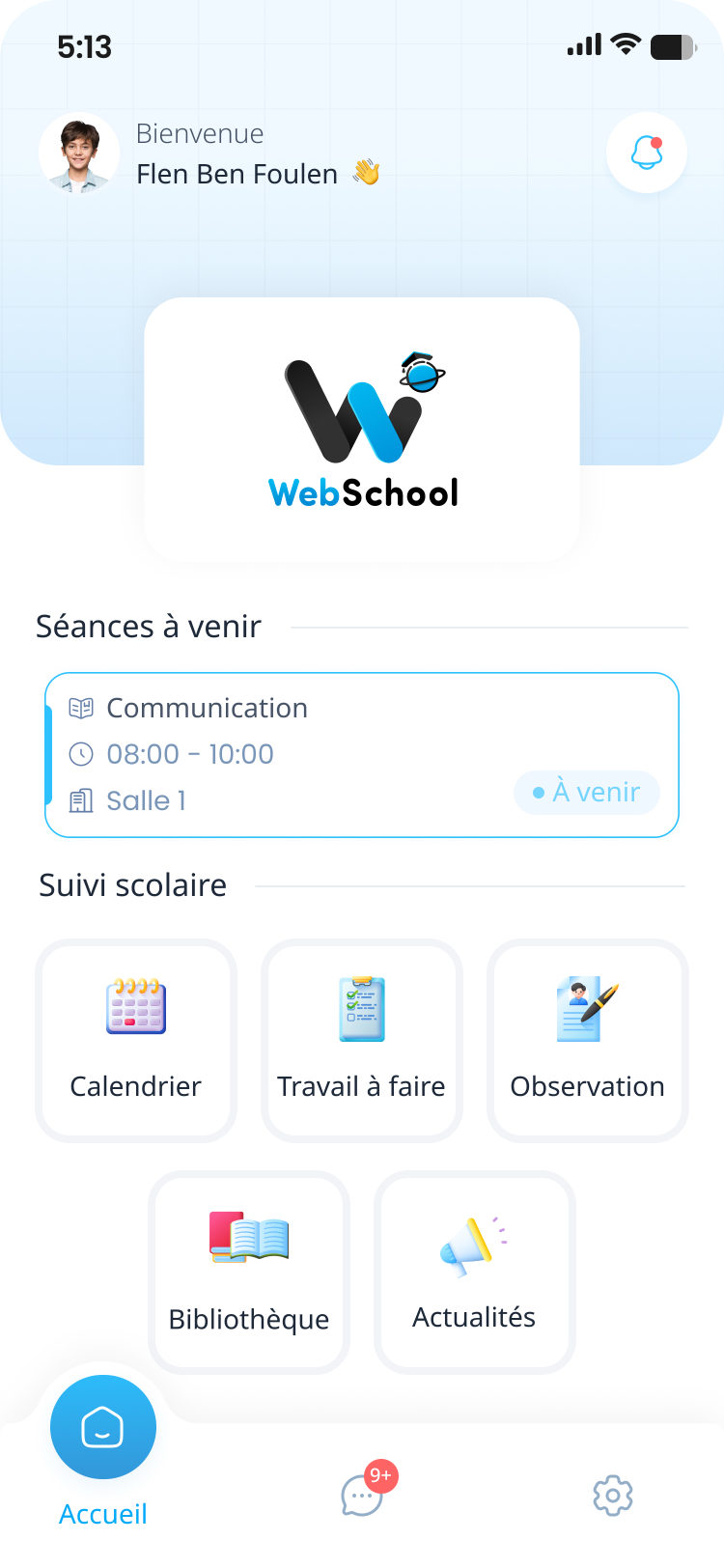
The next lesson, then everything else
Home leads with the next lesson, its time and its room. Underneath sit five shortcuts: the timetable, the work to do, observations, the library and school news.
- The time and room of the next lesson, without looking for it
- Five shortcuts, not a menu to explore
- Messages stay one tap away in the bottom bar
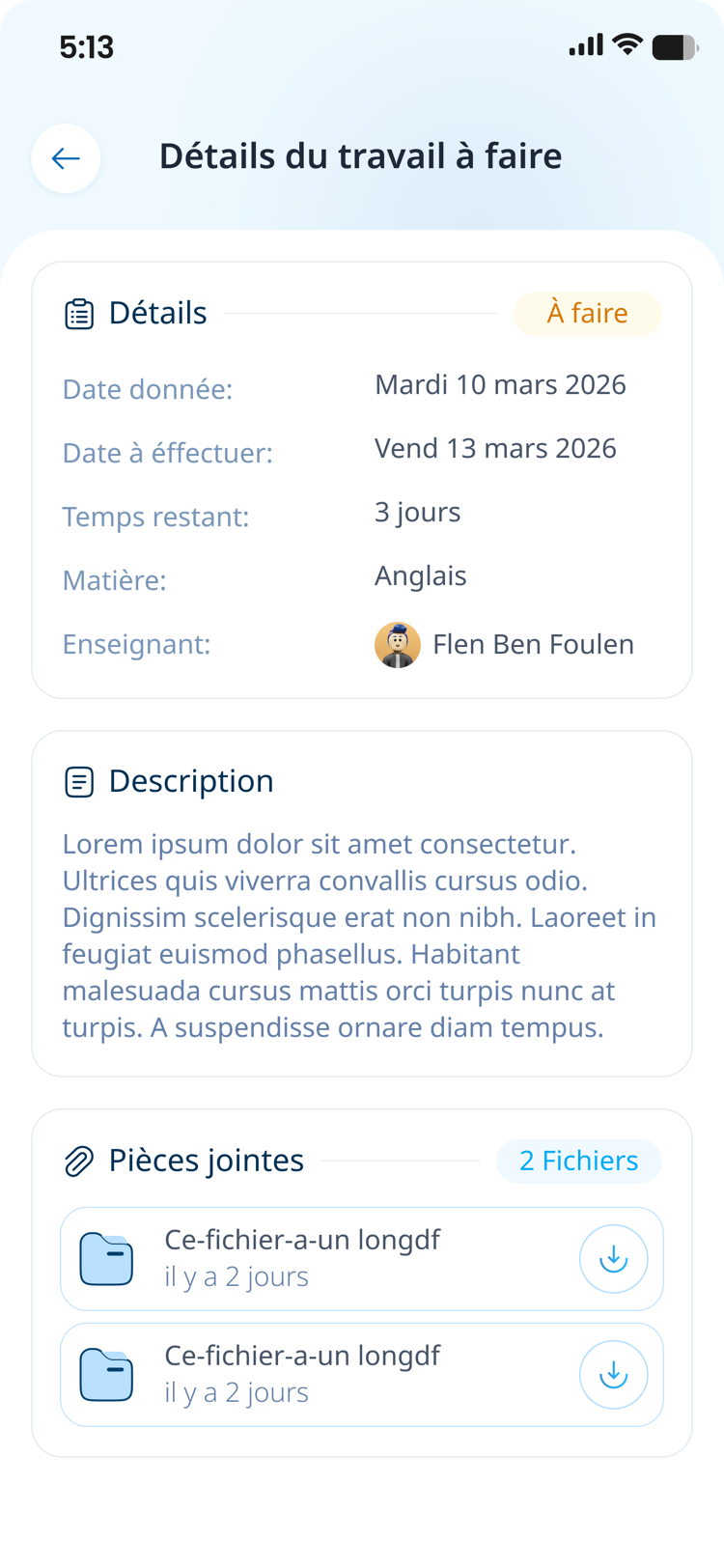
Every assignment with its dates and its files
Set date, due date, time left, subject and teacher on the same card. The brief sits underneath, and the attachments download straight from the assignment.
- The time left is worked out, not counted on fingers
- The full brief, exactly as the teacher wrote it
- Attachments download in one tap
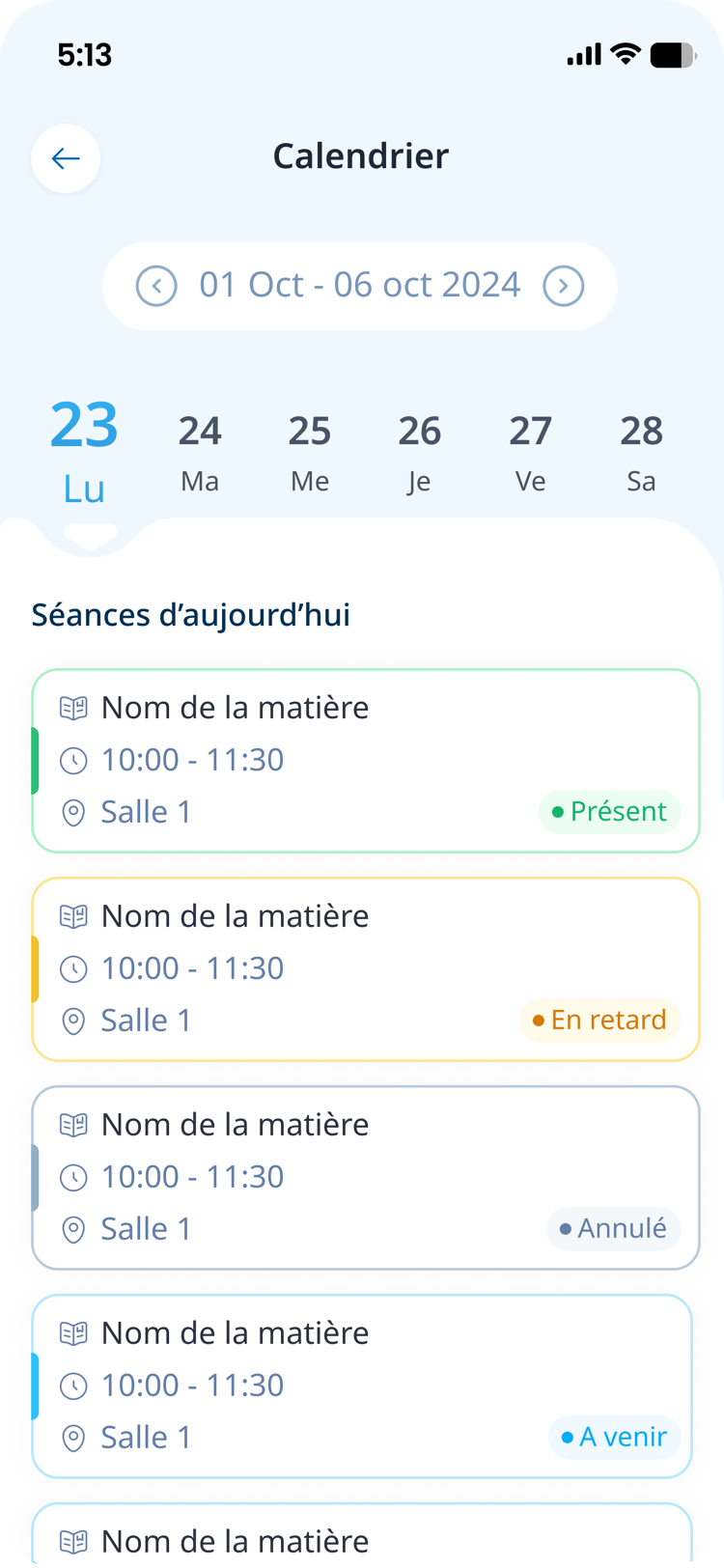
The week, lesson by lesson
The student moves between days at the top of the screen and finds each lesson with its time, its room and its state: present, late, cancelled or upcoming.
- Present, late, cancelled, upcoming: four states, four colours
- Cancelled lessons show up before the trip in
- Attendance is what the teacher recorded in class
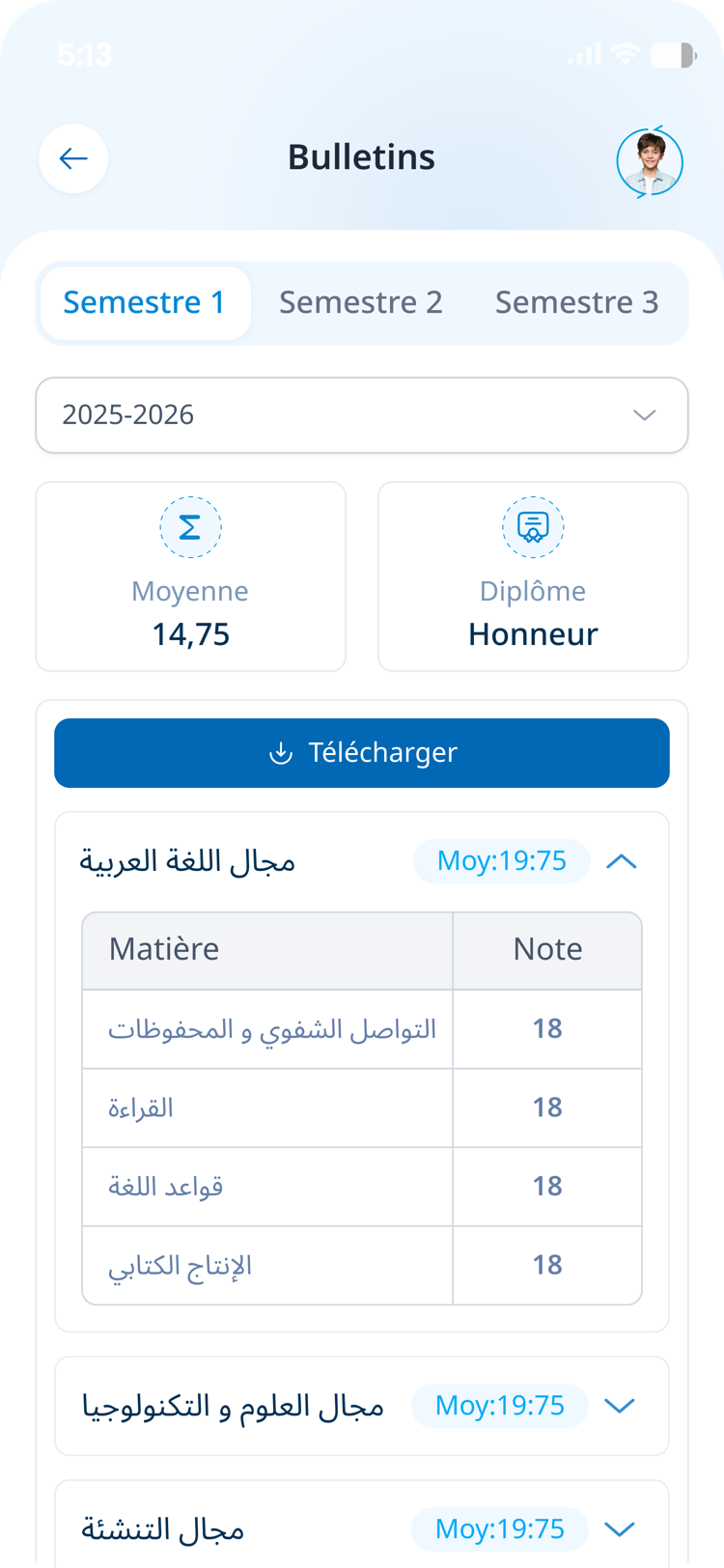
Their marks and their report card
Term average, honours and marks per subject, grouped by area. The report card downloads as a PDF, term by term and year by year.
- The average and the honours at the top of the screen
- The detail subject by subject, area by area
- Report card downloadable as a PDF
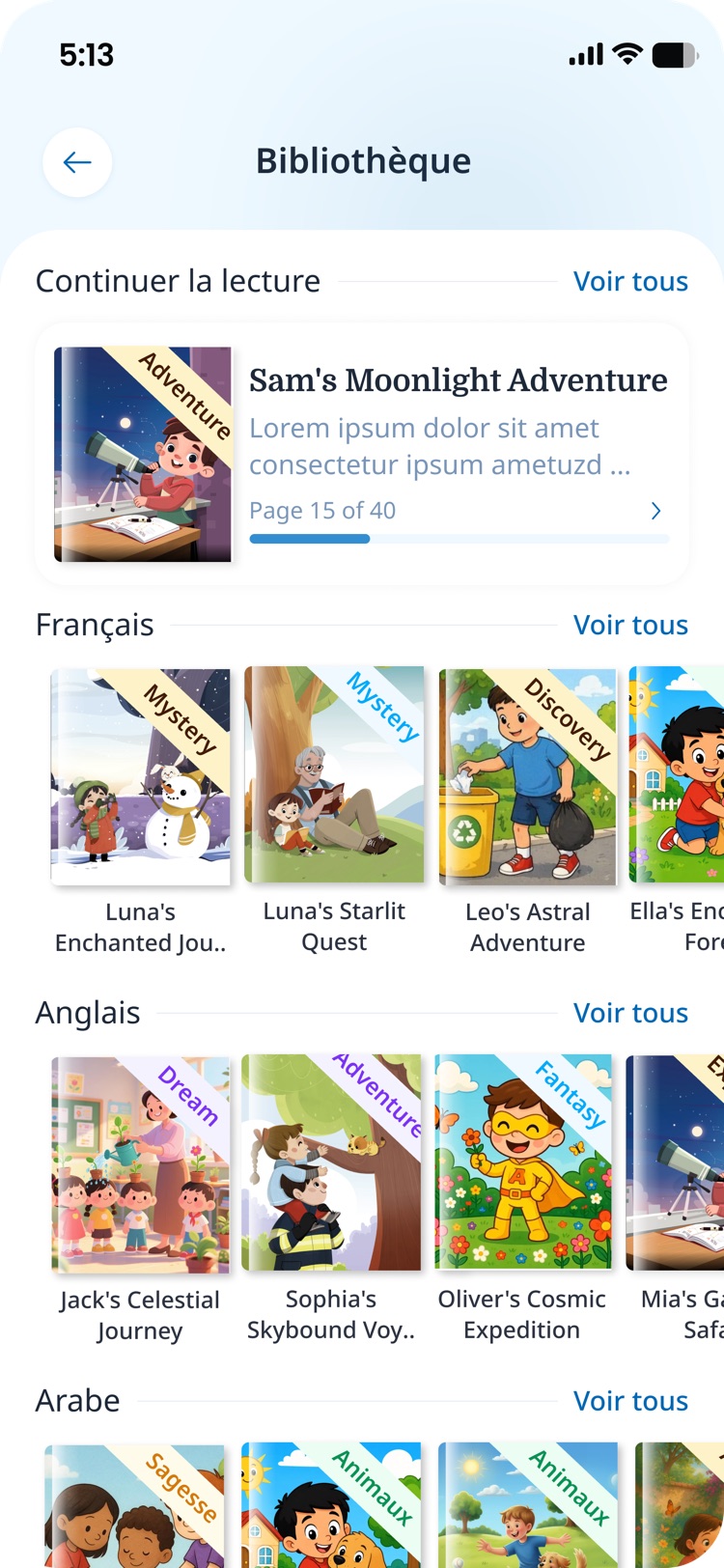
A library for reading outside class
Stories in French, English and Arabic, shelved by language, picking up wherever the student stopped.
- Three languages side by side
- “Continue reading” reopens the right page
- Collections that match the student’s level
Want to see it on your own phone?
We call you, we open a demo account for your school, and you go through the app with your own classes.